
AI Virtual Try-On
Put any outfit on any model with AI — upload a model photo and a clothing image.
Overview
AI virtual try-on lets you see how a garment looks on a person without a photoshoot. Upload a photo of a model and an image of the clothing, and the AI generates a realistic composite of that model wearing the outfit.
It is built for ecommerce sellers, fashion brands and marketplaces that need on-model imagery fast — no studio, no sample shipping, no reshoots when the product changes.
How it works
- 1
Upload a model photo
Choose a clear, well-lit photo of the person who will wear the outfit.
- 2
Upload a clothing image
Add the garment you want them to wear — a product shot works well.
- 3
Pick an output ratio
Select 3:4 portrait (recommended), 1:1, 9:16, 4:3 or 16:9.
- 4
Generate
AI produces a realistic on-model image of the outfit in seconds.
What you can use it for
- ✦ Generate on-model product images for an online store
- ✦ Preview how an outfit looks before a real photoshoot
- ✦ Create consistent model imagery across a clothing catalog
Virtual Try-On FAQ
What is AI virtual try-on?
It generates a realistic image of a model wearing a chosen outfit from two inputs: a model photo and a clothing image. No physical photoshoot is required.
What do I need to use it?
A clear model photo and an image of the clothing. The AI composites the garment onto the model and outputs a realistic result.
Is it good for ecommerce?
Yes. It is designed for sellers and fashion brands who need on-model imagery quickly without studio shoots.
Real example
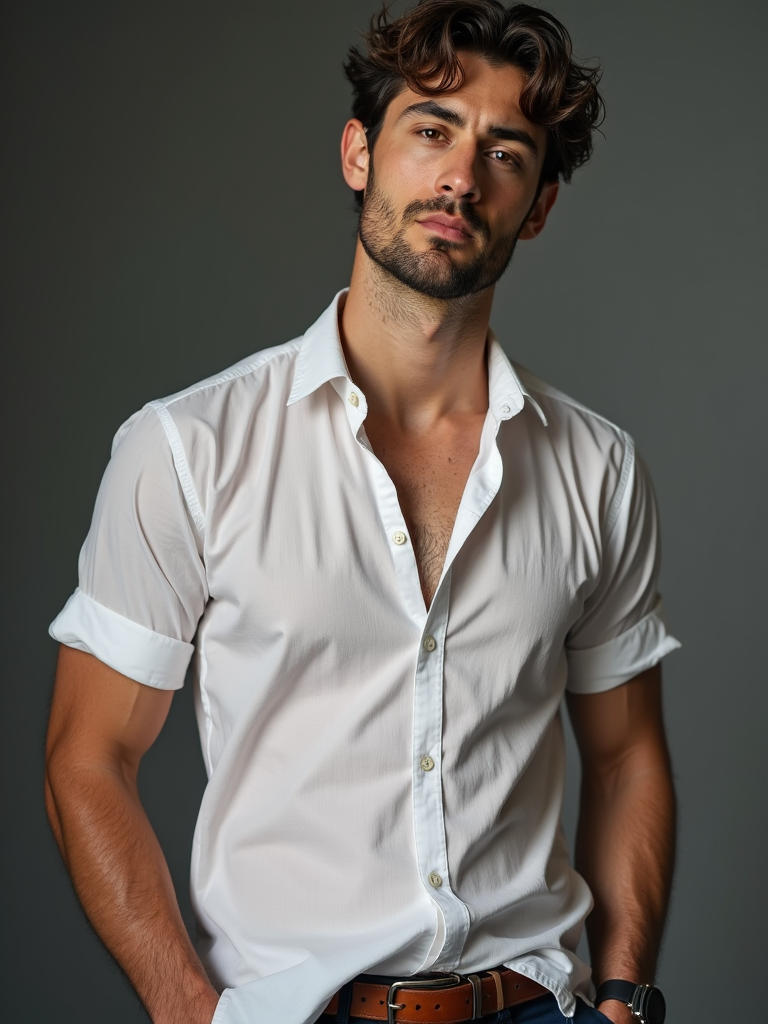
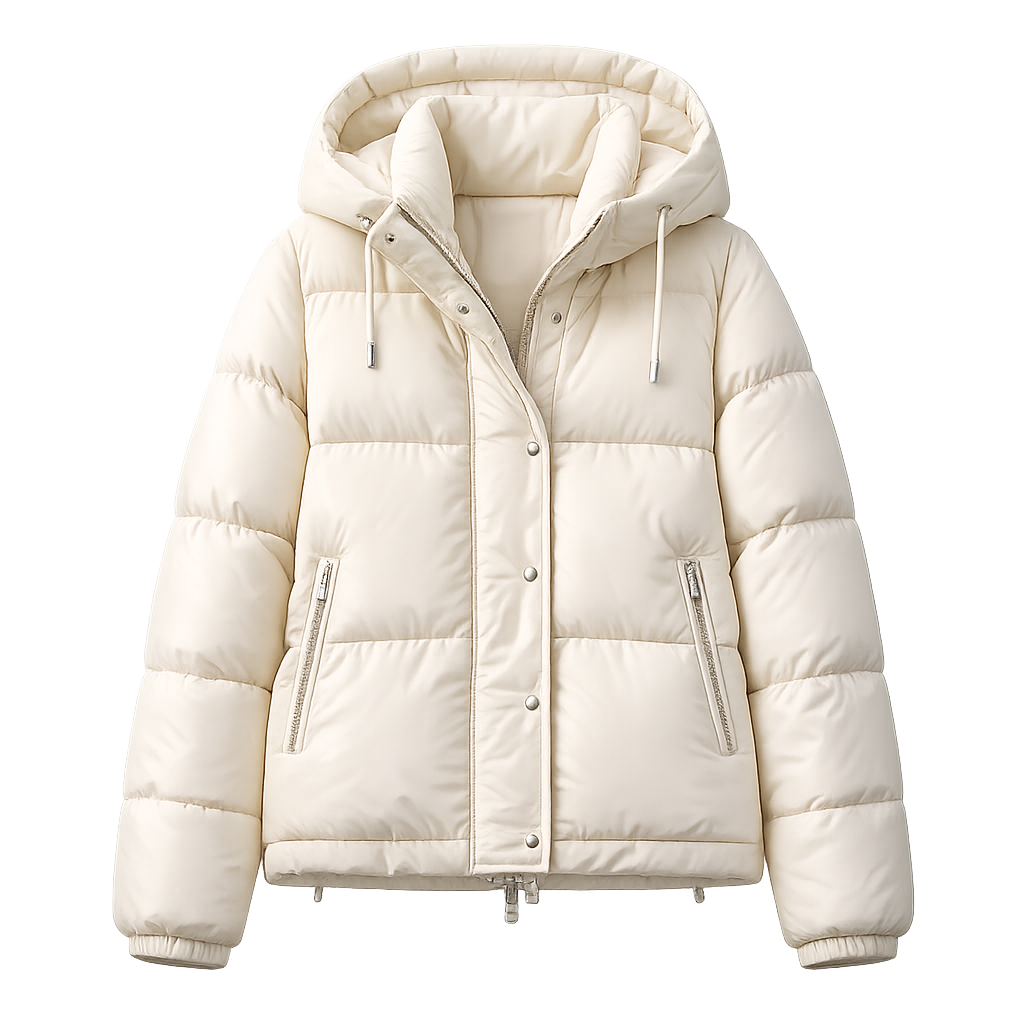
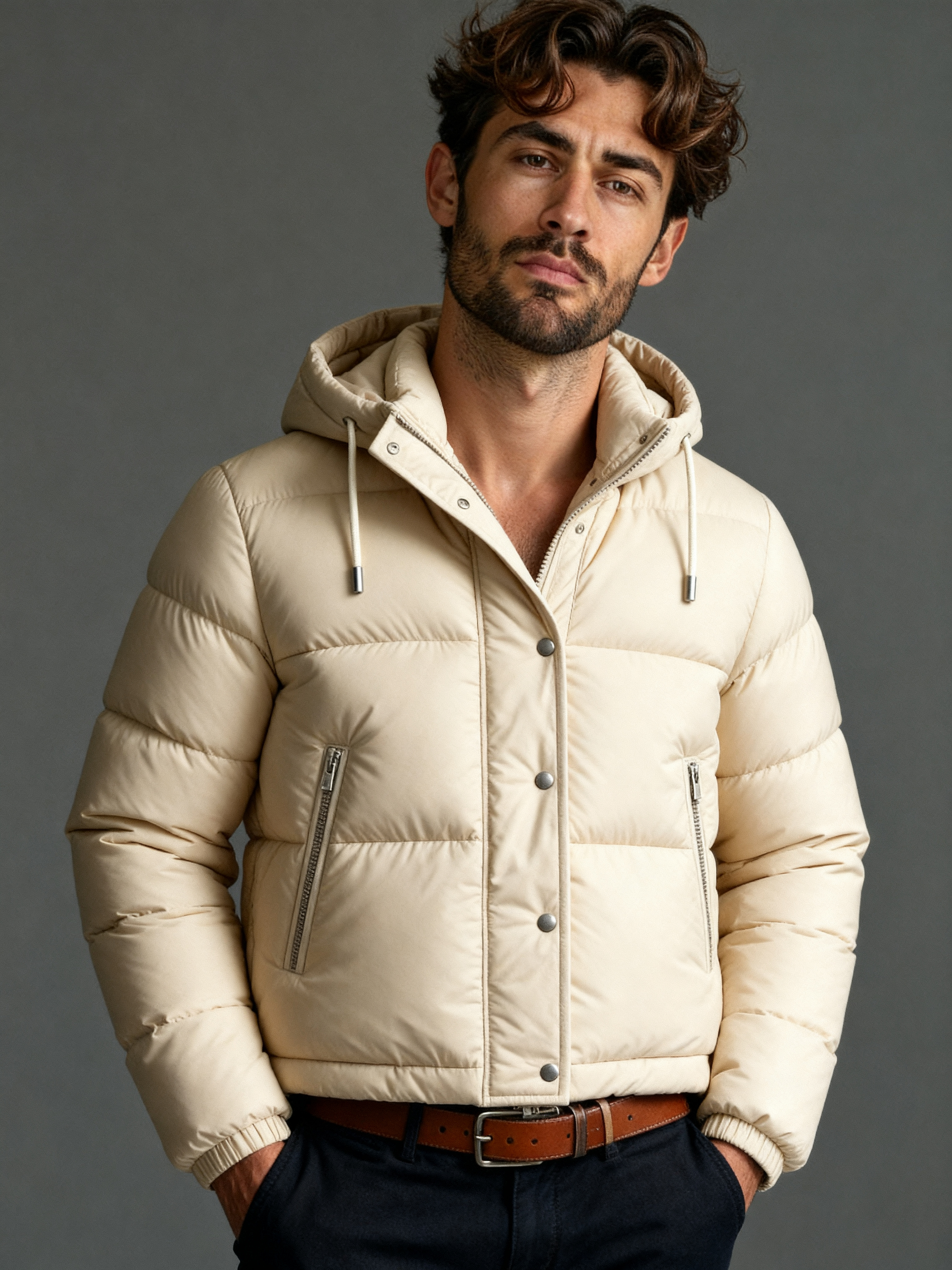
Clothing try-on from a product shot
Model photo + clothing product image, 3:4 portrait ratio
Ready to try Virtual Try-On?
Free to start — see the pricing page for credit details.
Models behind this tool
Higher fidelity with stronger prompt adherence and richer detail.
High-quality image generation by ByteDance. Minimum 2K resolution.